
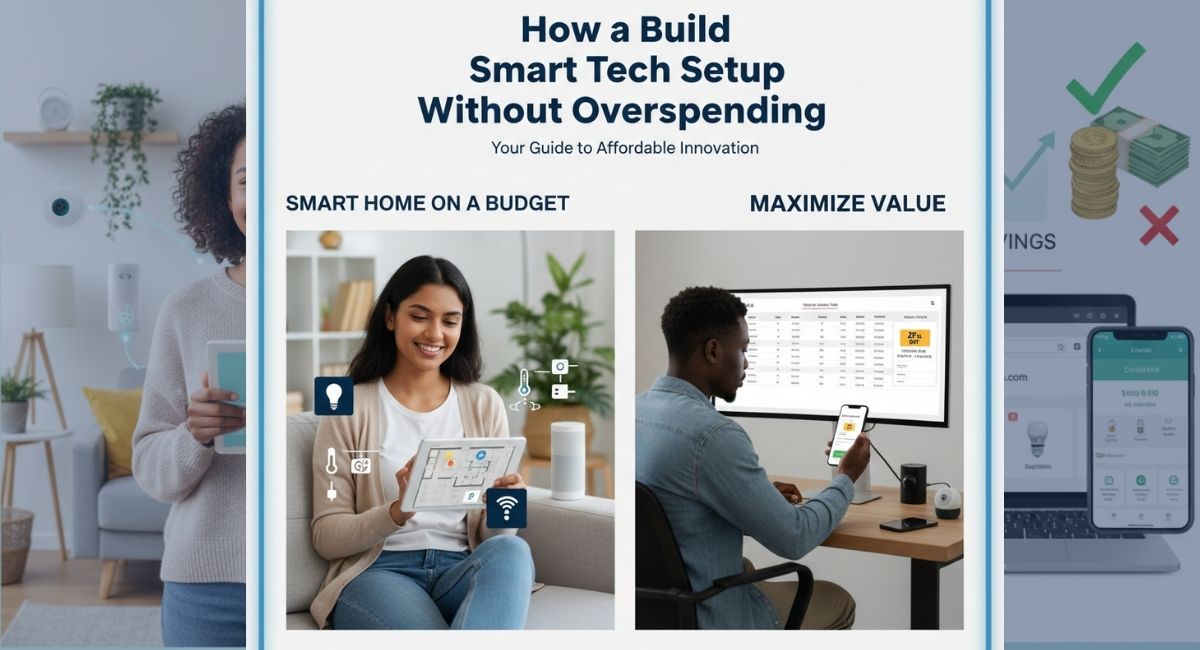
Creating a smart tech setup at home or for work can feel expensive, but it doesn’t have to break your budget. With the right approach, you can get a modern, functional system that improves your lifestyle without unnecessary costs. From gadgets to software tools, a smart setup blends technology with practicality. If you’ve ever wondered how to start, this guide provides step-by-step advice and practical tips for a budget-friendly tech environment.
Understanding Your Needs
Before buying anything, assess what you really need. Do you want a connected home, an efficient work setup, or entertainment enhancements? Setting priorities will help you spend wisely.
A smart home setup might include lights, thermostats, and voice assistants. A home office could require monitors, a keyboard, mouse, and productivity software. Entertainment-focused setups often include speakers, streaming devices, and smart TVs. Determining your primary goals will prevent unnecessary purchases and save money.
Budget Tech Setup Essentials
You don’t need to buy top-tier gadgets to enjoy a modern tech environment. Affordable options often perform well and last long if chosen carefully. Here’s how to build your setup without overspending:
- Start with core devices: A smartphone, laptop or tablet, and Wi-Fi router are foundational.
- Consider refurbished or older models: They can provide high functionality at lower prices.
- Focus on multipurpose devices: Smart speakers that also serve as voice assistants or hubs for home automation reduce the need for multiple gadgets.
- Use free or low-cost apps for productivity and organization. Guides like Top Free Money-Saving Apps UK & USA can help you discover tools that complement your devices.
Smart Home on a Budget
Turning your home into a smart environment can be affordable when done strategically. You don’t need to replace every device; instead, start with essential smart home components. Popular budget-friendly options include smart plugs, lighting, and thermostats.
Integrating older devices is possible too; for instance, you can turn your old phone into a smart home device to control lights, cameras, or media systems.
Smart lighting is one of the most impactful and cost-effective upgrades. Affordable options allow remote control, scheduling, and color customization. Similarly, smart plugs can automate appliances and save energy. Voice-controlled assistants like Alexa, Google Home, or Siri provide convenience without high costs. Selecting compatible devices ensures they work together efficiently.
Productivity Tools and Software
A smart tech setup is incomplete without software that enhances productivity. Free and affordable tools can handle tasks that once required expensive subscriptions.
Cloud storage services like Google Drive or OneDrive provide essential backup and collaboration features without additional cost. Beginners can use guides such as Beginner’s Guide to Using Free Cloud Storage Services to maximize these tools.
Project management tools are especially valuable for work-from-home setups. Platforms like Trello, Asana, or more affordable alternatives help small teams organize tasks, track deadlines, and communicate efficiently.
Free productivity apps, including note-taking and calendar applications, complement the physical setup and improve workflow.
Affordable Entertainment Setup
Entertainment doesn’t have to be expensive to be smart. Streaming devices, wireless speakers, and affordable smart TVs can create a connected media experience. Selecting devices that work with multiple platforms reduces the need for separate subscriptions.
Portable speakers or soundbars provide quality audio without massive investments. For home media setups, consider guides like Best Wireless Speakers for Small Homes to find budget-friendly yet effective solutions.
Gadgets for Daily Life
Some affordable gadgets can significantly improve daily routines. Fitness trackers, smart plugs, and inexpensive smart lighting systems enhance comfort and efficiency.
Even small upgrades such as a wireless charger or compact power bank can make daily life easier. Beginners can explore Beginner-Friendly Fitness Trackers or Affordable Smart Home Devices to learn which products offer the most value.
Tech Upgrades Without Overspending
Upgrading your setup does not mean buying everything at once. Prioritize devices that provide the most benefit to daily tasks.
For example, upgrading your Wi-Fi router improves connectivity across multiple devices, enhancing productivity and entertainment. Investing in a good keyboard or mouse can significantly boost work efficiency. Always look for sales, bundles, or refurbished options to reduce costs.
Tips for Smart Tech Shopping
- Compare prices online and in-store before purchasing
- Read user reviews to assess durability and performance
- Consider second-hand or refurbished gadgets
- Focus on compatibility with existing devices to avoid extra costs
- Start small and expand gradually as needed
Maintaining Your Setup
A smart tech setup requires maintenance to ensure longevity and performance. Regular software updates, security patches, and device cleaning help prevent malfunctions.
Organizing cables and managing power usage keeps your setup neat and protects devices from damage. Budget-conscious users benefit from proper care, extending device lifespan and avoiding frequent replacements.
Safety and Security
Smart setups connect multiple devices to the internet, which can pose security risks. Using strong passwords, enabling two-factor authentication, and keeping software updated are essential.
Many budget devices include built-in security features—make sure these are enabled and monitored. Investing in a reliable antivirus or firewall can prevent issues without significant expense.
AI Tools and Automation
Integrating AI tools into your smart setup can boost efficiency without increasing costs. AI-based apps can manage schedules, reminders, emails, and assist with content creation.
Resources like Top AI Tools That Make Your Daily Tasks Easier highlight affordable options that simplify routine tasks. Tools such as ChatGPT can support writing, research, and planning. Beginners can follow How to Use ChatGPT for Everyday Productivity to use these tools effectively.
Combining AI apps with affordable gadgets ensures your setup runs efficiently without overspending.
Long-Term Cost Management
A smart tech setup isn’t just about initial investment. Consider long-term expenses such as subscriptions, electricity, and maintenance.
Choose devices with low energy consumption, free apps, or one-time purchases instead of recurring fees. Gradual expansion helps maintain quality while staying within budget.
Environmental Considerations
Building a smart setup on a budget can also be eco-friendly. Reusing older devices, choosing energy-efficient gadgets, and recycling outdated tech reduce waste.
Many affordable devices support energy-saving modes, helping you save money while minimizing environmental impact.
Future-Proofing Your Setup
Technology evolves quickly, so planning ahead ensures your investment lasts. Look for devices that support updates and future compatibility.
Modular systems, expandable storage, and universal standards like Wi-Fi and Bluetooth increase longevity. Staying informed about new trends helps prevent buying tech that becomes obsolete too quickly.
Common Mistakes to Avoid
- Buying expensive devices with unnecessary features
- Neglecting compatibility with existing gadgets
- Choosing brand names without comparing alternatives
- Skipping maintenance or software updates
- Overlooking free or low-cost apps that enhance functionality
Final Words
Creating a smart tech setup without overspending is achievable with planning, research, and smart purchases. By focusing on essential devices, leveraging affordable tools, and upgrading gradually, you can enjoy a connected and functional environment without financial strain.
Start with core devices, integrate smart home features strategically, and use productivity apps to enhance daily life. Budget-conscious upgrades, proper maintenance, and strong security ensure your setup remains efficient and long-lasting.
Explore more tips, reviews, and guides on BYB Good Idea for additional advice on affordable tech options. Beginners interested in cost-effective smart home solutions can also check How to Set Up a Smart Home on a Budget. With the right balance of knowledge, planning, and smart purchases, you can build a tech setup that supports productivity, entertainment, and comfort—without overspending.