
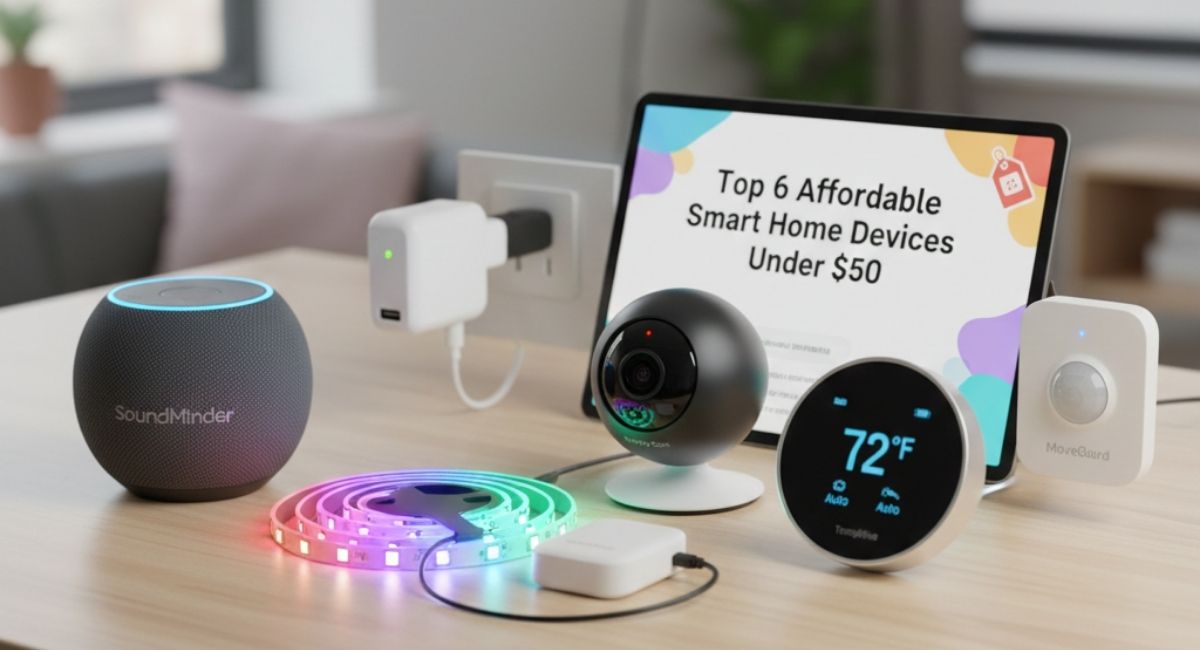
What counts as affordable smart home tech
When we speak of affordable smart home devices under $50, we refer to gadgets and sensors that perform useful, modern smart home tasks such as controlling lights, monitoring rooms, automating switches, or enabling voice commands, all without costing more than everyday household items. These gadgets let you begin building a connected home with minimal investment.
It is common to assume that smart homes require high budgets. In reality, a well-chosen plug, bulb, speaker, or camera can already transform how you interact with your home. The trick is picking items that balance ease of use, reliability, and ecosystem support.
Below, you will find six strong entries that consistently deliver under $50, combining budget-friendly pricing with dependable functionality.
Top 6 affordable smart home devices worth checking out
Here are six devices that stand out for budget-conscious buyers. These are widely available from well-known brands, so you are more likely to get reliable performance even on a tight budget.
1. Smart Plug – TP-Link Kasa Smart Plug Mini
The Kasa Smart Plug Mini is a compact adapter that turns any standard appliance or lamp into a smart-controlled device. Plug it into a wall outlet, then plug your lamp or fan into it. You can control that device from your phone or via voice assistant.
Why it works well under $50
- Typical retail price is around $12–15 for a single plug or slightly better if bought as a multipack
- No additional hub is needed since it connects directly to your Wi-Fi network
- Compatible with Amazon Alexa and Google Assistant
- You can schedule devices, set them to turn off or on at fixed times, and enable away modes to simulate occupancy when you are not home
For many households, a smart plug is the most affordable step toward automation. Lights, fans, holiday decor, and small appliances can become controllable from your phone or voice command.
Good uses for a smart plug
- Automating bedside lamps to switch off at night on a schedule
- Controlling a fan or space heater while away from home
- Running holiday lights automatically without manual switching
- Turning off entertainment devices such as TV and console with one tap or command
Because it works over Wi-Fi and does not require a dedicated hub, the Kasa plug provides a very low-friction introduction to smart home automation.
2. Smart Light Bulb – Wyze Bulb Color (or similar budget Wi-Fi bulbs)
Smart lighting often marks the first visible upgrade in a connected home. A smart bulb can change color, adjust brightness, and operate on schedules, all controlled from your phone or via voice commands.
Why this kind of bulb makes sense under $50
- Many budget smart bulbs sell for $8–15 each
- They connect directly to Wi-Fi, so no hub or extra hardware is required
- You can set routines such as lights turning on at dusk, dimming before bedtime, or assigning different moods for different rooms
- Works with voice assistants, enabling commands such as “turn off bedroom light” or “set living room lights to 50 percent”
Because lighting is used daily, replacing even a couple of bulbs with smart versions can improve convenience and energy efficiency without major expense.
Smart bulb advantages at a glance
- Ability to dim lights, change color temperature, or choose from a spectrum of colors
- Schedule or automate lights based on time, location, or sunrise and sunset
- Combine multiple bulbs into groups for synchronized control
- Voice-enabled commands for hands-free operation
Switching from ordinary bulbs to smart bulbs is an entry point into building a modern lighting setup without complex wiring or expensive infrastructure.
3. Voice-Control Hub – Amazon Echo Dot (5th Gen) or comparable smart speaker
Smart plugs and bulbs are convenient. When you add a voice-enabled smart speaker or hub, you create a central command station for your home. Voice control can simplify daily routines, especially when your hands are busy or you need quick responses.
Why the Echo Dot or a similar voice-controlled hub is a smart pick under $50
- Many models are priced around $25–40, making them budget-friendly entry points into voice automation
- Acts as a central controller for compatible devices including lights, plugs, smart bulbs, and cameras, all manageable with a voice command or app
- Easy to set up: plug in, connect to Wi-Fi, and follow prompts
- Useful for more than device control: alarms, timers, reminders, music streaming, weather updates, and simple tasks
For households planning to use multiple smart devices, a voice hub provides the most intuitive interface. Instead of juggling multiple phone apps, you can control everything with words.
Everyday tasks simplified
With a voice hub, you can:
- Turn lights or plugs on or off without getting up
- Schedule routines such as “good night” to switch off lamps and plugs together
- Combine smart devices for scenes, for example lights dimmed, fan off, ambient music on when relaxing
Many smart devices rely on a common voice or app ecosystem such as Alexa or Google Home. Having a central hub helps keep your setup coherent and easier to manage.
4. Smart Security Camera – Wyze Cam V3 or similar budget indoor/outdoor camera
Adding surveillance to a home no longer needs to be expensive. Affordable smart cameras offer features that used to be limited to pricey security systems.
What makes Wyze Cam V3 a strong option under $50
- Typical price is around $30–40
- Offers decent video quality, motion detection, and optionally two-way audio depending on the model
- Integrates with smart assistants for live feed viewing or phone alerts
- Useful both for security and general monitoring such as pets or workspace
When used in hallways, near main entrances, or inside living areas, a smart camera becomes a powerful tool for peace of mind without spending hundreds on traditional surveillance gear.
Recommended uses for a budget smart camera
- Monitoring a front or back door area for unexpected activity
- Checking on pets or children while away
- Keeping tabs on a workspace, storage room, or garage
- Using motion alerts to trigger lights or notifications
Budget cameras deliver more flexibility than traditional CCTV systems while offering remote access, smartphone alerts, and easier installation.
5. Smart LED Strip Light or Ambient Lighting – Govee Smart LED Strip Lights or similar
If you want atmosphere, style, or mood lighting, smart LED strips deliver more creative control than standard bulbs while still costing under $50.
Why smart LED strips make sense on a budget
- Many sets cost $20–30
- Offer color-changing capabilities, brightness adjustment, and scheduling
- Some sync with music or other media, adding ambience to movie nights, parties, or relaxation zones
- Compatible with voice assistants and simple to install by plugging in and sticking
LED strips let you reshape the look and feel of a room without rewiring or complex installation.
Ideal settings for LED strips
- Under cabinets or shelves for accent lighting
- Behind a TV or monitor to reduce eye strain and add ambience
- Along ceiling coves to create soft, indirect light
- Around desks for adjustable work or gaming stations
This type of affordable home tech mixes practicality and aesthetics with functional lighting for tasks or soft mood lighting for downtime.
6. Smart Switch or Light Switch Replacement – Generic Wi-Fi Light Switch
If you prefer not to rely solely on smart bulbs, or if you have multiple lights controlled by a single wall switch, a Wi-Fi-enabled smart light switch can be practical.
What makes a budget smart switch worth considering
- Many cost below $50 and convert existing wired lights into smart-controlled lights
- Once installed, you get smart control for entire circuits or groups of fixtures
- Works through Wi-Fi and integrates with voice assistants and scheduling apps
Smart switches are ideal when you want all-in-one control over lights, especially in rooms with multiple bulbs controlled by one switch.
When to choose a smart switch instead of smart bulbs
- Many bulbs on a single switch need to be controlled together
- You want a clean look without smart bulbs or adapters
- Prefer a single installation instead of updating multiple sockets
- Want flexibility to control existing fixtures instead of buying new lamps
Used carefully, a smart switch offers broader control and less resistance to adoption.
Quick Comparison Guide
| Device Type | Typical Price Range | Main Use Cases | Key Advantages | Things to Watch Out For |
| Smart Plug | $12–20 | Automating lamps, fans, small appliances | Easy setup, no hub, voice control | Some appliances draw too much power |
| Smart Light Bulb | $8–15 (each) | Lighting control, mood lighting | Change brightness and color, schedules, remote control | Need one bulb per fitting, Wi-Fi reliability |
| Voice-Control Hub | $25–40 | Central control, voice commands | Hands-free control, integrative capability | Needs stable Wi-Fi, account login required |
| Smart Security Camera | $30–40 | Monitoring pets, security, rooms | Remote monitoring, alerts, integration | Privacy concerns, internet dependency |
| Smart LED Strip | $20–30 | Accent lighting, entertainment zones | Flexible mood lighting, color and scheduling | LED lifespan, placement limitations |
| Wi-Fi Smart Light Switch | $15–45 | Controlling wired light circuits | Converts existing wiring, broad coverage | Installation may require basic wiring skills |
Practical advice before you buy
Check your Wi-Fi and network capacity
Many budget smart devices rely on Wi-Fi. Slow internet, weak signal, or too many devices on the router may affect performance. Consider a second access point if needed.
Think about device mix and ecosystem compatibility
Try to unify devices under one assistant, Alexa or Google, so they appear under one app. This reduces confusion and simplifies automation.
Avoid overloading plugs or circuits
Smart plugs are convenient but may not handle high-power appliances. Always check the rated wattage.
Keep privacy and security in mind
Use strong, unique passwords and enable two-factor authentication. Many devices communicate with cloud servers; choose brands with transparent privacy policies.
Start small with one or two devices
Begin with a plug and a smart bulb. Test whether owning and controlling smart gadgets suits your daily life. Expand gradually once you see value.
Frequently Asked Questions
Q1: Are smart plugs under $50 safe for heavy appliances like heaters or air conditioners?
Smart plugs are best with low- to moderate-power devices. High-power appliances may exceed the plug’s rated capacity. Always check wattage before use.
Q2: Do these cheap smart devices work with Apple HomeKit?
Many budget devices rely on Wi-Fi and are compatible with the manufacturer’s app or Alexa/Google Assistant. Some may not support HomeKit.
Q3: Will smart devices increase my electricity bill?
Smart devices draw minimal power. Automating lights and plugs may reduce unnecessary usage, potentially lowering bills.
Q4: Is it better to use smart bulbs or a smart switch for lighting control?
Smart bulbs are easier for individual lamps or color/brightness options. Smart switches control multiple fixtures from one switch. Choose based on your home setup.
Q5: Do budget smart cameras provide reliable security?
Budget cameras offer basic remote monitoring, motion alerts, and reasonable video quality. They are not substitutes for full security systems.
Final thoughts
Affordable home tech has matured. Under $50 per item, you can control lights, send power to a lamp from anywhere, plug in a camera for extra visibility, or switch off appliances automatically.
Smart plugs, smart bulbs, voice hubs, cameras, LED strips, and Wi-Fi switches each bring a different capability. Used thoughtfully, they combine into a flexible and useful ecosystem that adapts to your habits and lifestyle.
Start with one or two essentials and expand gradually. Affordable smart home devices under $50 offer low-risk, high-value entry into connected living.