
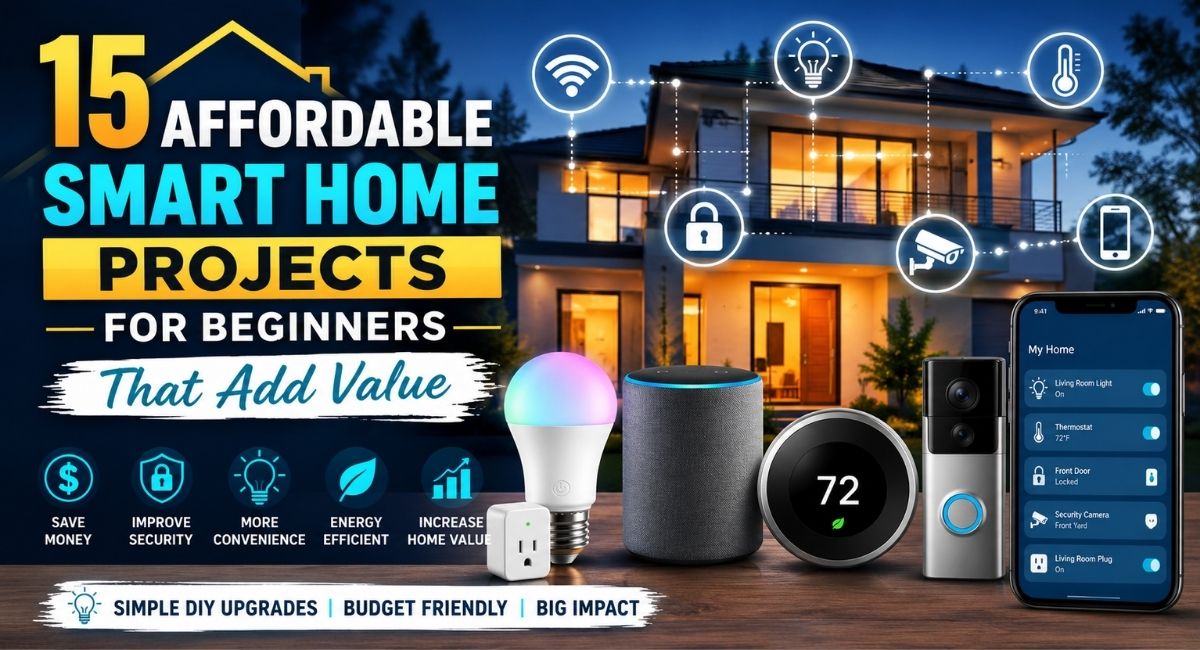
Smart home technology is no longer reserved for luxury homes or expensive renovations. Today, you can automate everyday tasks, improve your home’s security, lower energy bills, and make daily life more convenient without spending thousands of dollars.
Many beginners assume that creating a smart home requires hiring professionals or replacing every appliance. In reality, a few carefully chosen upgrades can make a noticeable difference. Whether you want lights that respond to voice commands, a thermostat that helps reduce energy costs, or security devices you can monitor from your phone, there are plenty of affordable options that are easy to install yourself.
The best part is that these projects don’t just improve convenience. Many of them increase your home’s appeal, improve energy efficiency, and even add resale value. Starting with a small budget allows you to build your smart home gradually while learning how different devices work together.
If you’re planning a larger setup, our guide on how to set up a smart home on a budget offers a practical roadmap for expanding your system without overspending.
Why Affordable Smart Home Projects Are Worth It
A smart home is more than a collection of connected gadgets. It creates a living space that adapts to your daily routines while reducing repetitive tasks.
Even inexpensive upgrades can provide benefits such as:
- Lower electricity bills
- Improved home security
- Better lighting control
- Easier daily routines
- Increased property value
- Remote access to your home
Instead of viewing smart devices as luxury purchases, think of them as long-term investments that improve both comfort and efficiency.
According to the ENERGY STAR program, smart thermostats and energy-efficient devices can significantly reduce household energy consumption when used correctly.
| Benefit | Example |
| Save Energy | Smart thermostat adjusts temperatures automatically |
| Improve Security | Video doorbells and smart cameras monitor your home |
| Increase Convenience | Voice assistants control lights and appliances |
| Better Comfort | Automated lighting creates personalized scenes |
| Home Value | Modern smart upgrades appeal to future buyers |
What You’ll Need Before Starting
Before purchasing your first device, spend a little time planning your setup.
A Reliable Wi-Fi Network
Most smart home gadgets depend on stable internet connectivity.
Consider:
- Dual-band Wi-Fi router
- Strong signal throughout the house
- Secure password
- Updated firmware
Poor Wi-Fi causes more smart home frustrations than faulty devices.
Choose One Smart Home Ecosystem
Beginners often buy random devices that don’t communicate with one another.
Instead, choose one ecosystem such as:
- Amazon Alexa
- Google Home
- Apple HomeKit
- Samsung SmartThings
Using one platform makes future expansion much easier.
If you’re still comparing devices, our guide to affordable smart home devices explains which products provide the best value for first-time buyers.
Set a Realistic Budget
You don’t need to automate your entire home at once.
A simple beginner budget might look like this:
| Device | Estimated Cost |
| Smart Bulbs | $15 to $40 |
| Smart Plug | $10 to $25 |
| Motion Sensor | $20 to $35 |
| Smart Speaker | $30 to $60 |
| Video Doorbell | $60 to $150 |
Starting small lets you learn what actually improves your daily routine before investing in additional devices.
1. Replace Traditional Bulbs with Smart Lighting
Lighting is usually the easiest introduction to home automation for beginners.
Smart bulbs install exactly like regular bulbs but offer far more control.
Popular features include:
- Voice commands
- Scheduling
- Dimming
- Color changing
- Remote control
- Energy monitoring
For example, you can schedule bedroom lights to fade on each morning or automatically switch off after everyone leaves the house.
Smart lighting also improves home security by creating the appearance that someone is home while you’re away.
For more inspiration, check out our guide on affordable smart lighting options, where you’ll find budget-friendly recommendations for every room.
2. Install Smart Plugs Around the House
Smart plugs instantly transform ordinary appliances into connected devices.
Instead of replacing a perfectly good coffee maker or lamp, simply plug it into a smart outlet.
Popular uses include:
- Coffee makers
- Fans
- Holiday lights
- Space heaters
- Phone chargers
- Desk lamps
Most smart plugs also measure energy usage, helping identify appliances that consume unnecessary electricity.
3. Upgrade to a Smart Thermostat
Heating and cooling account for a significant portion of household energy expenses.
A smart thermostat learns your schedule and automatically adjusts temperatures.
Benefits include:
- Lower utility bills
- Remote temperature control
- Vacation mode
- Energy reports
- Improved comfort
Many models also integrate with voice assistants.
This project requires slightly more effort than changing a light bulb, but many homeowners successfully install one in under an hour.
4. Add a Video Doorbell
Home security doesn’t have to involve expensive alarm systems.
Video doorbells let you:
- See visitors
- Receive motion alerts
- Speak through your phone
- Record deliveries
- Monitor packages
These devices are especially useful if you travel frequently or receive regular deliveries.
Many affordable models store recordings in the cloud or on local storage.
5. Create Voice-Controlled Rooms
Voice assistants are often the center of a beginner-friendly smart home.
Devices like Amazon Echo or Google Nest speakers allow you to control multiple products using simple voice commands.
Examples include:
“Turn off the kitchen lights.”
“Set the thermostat to 72 degrees.”
“Lock the front door.”
“Play relaxing music.”
Voice control becomes even more useful as additional devices are added over time.
6. Install Motion Sensors
Motion sensors automate everyday tasks while improving security.
Common applications include:
Hallway Lighting
Lights automatically switch on during nighttime.
Closet Lighting
Never search for a light switch again.
Garage Entry
Automatically illuminate dark spaces.
Outdoor Lighting
Motion-triggered lights discourage unwanted visitors.
Many sensors also work alongside security cameras for improved monitoring.
7. Upgrade Your Front Door with a Smart Lock
Carrying spare keys becomes unnecessary with smart locks.
Features often include:
- Temporary guest codes
- Smartphone unlocking
- Auto locking
- Remote access
- Activity history
These locks are particularly useful for families, vacation rentals, or anyone who occasionally forgets to lock the door.
Many models install using existing deadbolt hardware.
Making Different Devices Work Together
One of the biggest advantages of modern DIY smart home ideas is automation.
Instead of controlling devices individually, routines allow multiple actions to occur simultaneously.
For example:
Morning Routine
- Thermostat increases temperature
- Bedroom lights gradually brighten
- Coffee maker turns on
- Smart speaker reads weather updates
Leaving Home Routine
- Lights switch off
- Doors lock
- Security cameras activate
- Thermostat enters eco mode
These small automations save time while making your home feel significantly smarter.
As your system grows, you can also combine smart home technology with everyday productivity tools. Many homeowners already use AI tools that make daily tasks easier to automate reminders, schedules, and household management alongside their connected devices.
8. Install Smart Security Cameras
Security cameras have become more affordable, making them one of the most practical easy home upgrades for beginners. Modern cameras connect to your home Wi-Fi and let you monitor your property from anywhere using a smartphone.
Common features include:
- Live video streaming
- Motion detection
- Night vision
- Two-way audio
- Cloud or local video storage
- Instant mobile alerts
Place cameras at entry points such as the front door, backyard, garage, or driveway. Indoor cameras can also help you keep an eye on pets or check on your home while you’re away.
Before installing outdoor cameras, review local privacy laws and position them to monitor only your property.
9. Automate Window Blinds
Smart blinds may sound like a luxury, but entry-level options are becoming much more affordable.
Automated blinds allow you to:
- Open curtains at sunrise
- Close blinds during hot afternoons
- Improve privacy at night
- Reduce cooling costs during summer
- Control multiple windows from one app
This project pairs especially well with smart lighting and thermostats because it helps regulate indoor temperatures naturally.
10. Add Smart Leak and Water Sensors
Water damage is one of the most expensive home repairs, but a small sensor placed in the right location can alert you before a minor leak becomes a major problem.
Good locations include:
- Under sinks
- Behind washing machines
- Near water heaters
- Basement floors
- Under dishwashers
When moisture is detected, the sensor immediately sends a notification to your phone. Some advanced systems can even shut off the home’s water supply automatically.
11. Build a Smart Entertainment Area
A living room is one of the easiest places to experience the convenience of home automation.
You can combine:
- Smart TV
- Streaming device
- Voice assistant
- Smart lighting
- Wireless speakers
Imagine saying, “Movie time,” and having the lights dim, the television turn on, and your favorite streaming app open automatically.
If you’re upgrading your audio setup, our guide to best wireless speakers for small homes compares compact speakers that deliver impressive sound without taking up valuable space.
12. Monitor Energy Usage with Smart Plugs
Many people don’t realize how much electricity certain appliances consume when left plugged in.
Smart energy-monitoring plugs provide detailed reports showing:
- Daily energy usage
- Weekly consumption
- Monthly costs
- Devices that waste electricity
This information helps identify opportunities to lower your utility bills without changing your lifestyle dramatically.
For example, you may discover that an older space heater or entertainment system uses more power than expected.
13. Create Smart Outdoor Lighting
Outdoor lighting improves both safety and curb appeal.
Instead of relying on manual switches, smart outdoor lights can operate automatically based on:
- Sunset and sunrise
- Motion detection
- Voice commands
- Vacation schedules
- Weather conditions
Smart pathway lighting also makes your property safer for family members and visitors after dark.
14. Automate Your Garden with Smart Irrigation
If you enjoy gardening, a smart irrigation controller can save both water and time.
Unlike traditional timers, these systems adjust watering schedules using local weather forecasts.
Benefits include:
- Reduced water waste
- Healthier lawns
- Lower utility bills
- Remote scheduling
- Rain delay features
Many beginner-friendly models work with existing sprinkler systems, making installation relatively simple.
15. Build a Complete Smart Home Routine
Once you’ve installed several devices, combine them into routines that automate your day.
Here are a few examples.
Good Morning Routine
- Bedroom lights slowly brighten.
- Smart thermostat adjusts the temperature.
- Coffee maker switches on.
- Smart speaker shares weather updates and your daily schedule.
Leaving Home Routine
- All lights turn off.
- Doors lock automatically.
- Security cameras activate.
- Thermostat enters energy-saving mode.
Bedtime Routine
- Interior lights dim.
- Exterior lights switch on.
- Doors lock.
- Thermostat lowers the temperature.
- White noise begins playing through a smart speaker.
These simple automations eliminate repetitive tasks and create a home that works around your schedule.
How to Choose the Right Smart Home Devices
Not every device fits every home. Before purchasing, consider a few important factors.
Compatibility
Make sure devices work with your preferred ecosystem, whether it’s Amazon Alexa, Google Home, Apple HomeKit, or Samsung SmartThings.
Expandability
Choose products that can grow with your system instead of replacing them later.
Security
Look for manufacturers that regularly release firmware updates and support two-factor authentication.
If you’re expanding beyond home automation, our guide on building a smart tech setup without overspending shares practical tips for creating a connected home office and entertainment system while staying within budget.
Reviews and Support
Spend a few minutes reading customer reviews to learn about reliability, app quality, and long-term performance.
Common Mistakes Beginners Should Avoid
Many first-time smart home owners encounter the same problems. Avoiding these mistakes will save time and money.
Buying Devices from Too Many Brands
Using multiple apps quickly becomes frustrating. Stick with one ecosystem whenever possible.
Ignoring Wi-Fi Coverage
A weak signal causes unreliable automation. Consider a mesh Wi-Fi system if your home has dead zones.
Automating Everything Immediately
Start with one room, then expand gradually after learning what features you actually use.
Forgetting About Security
Always:
- Enable two-factor authentication.
- Use strong passwords.
- Update firmware regularly.
- Remove unused devices from your network.
You can strengthen your connected home further by following this guide to securing your online accounts, which covers practical steps to protect your digital devices and personal information.
Smart Home Projects That Offer the Best Value
If your budget is limited, prioritize projects that provide the greatest everyday benefits.
| Project | Difficulty | Estimated Cost | Main Benefit |
| Smart Bulbs | Easy | $15 to $40 | Convenience and energy savings |
| Smart Plugs | Easy | $10 to $25 | Automate existing appliances |
| Smart Thermostat | Medium | $100 to $250 | Lower energy bills |
| Video Doorbell | Medium | $60 to $150 | Improved security |
| Smart Lock | Medium | $100 to $250 | Better access control |
| Motion Sensors | Easy | $20 to $35 | Convenience and security |
| Smart Cameras | Easy | $40 to $150 | Remote monitoring |
| Smart Irrigation | Medium | $80 to $200 | Water conservation |
Frequently Asked Questions
Are affordable smart home devices reliable?
Yes. Many budget-friendly devices from well-known manufacturers offer dependable performance. Reading verified customer reviews and choosing products with regular software updates can improve your experience.
Do I need a smart hub?
Not always. Many modern devices connect directly to Wi-Fi and work through apps or voice assistants. However, a hub can improve automation and compatibility as your system grows.
Can smart home projects increase property value?
While every housing market is different, smart lighting, security devices, and energy-efficient upgrades often make homes more appealing to potential buyers.
Is installing smart home technology difficult?
Most beginner projects require only basic tools and can be completed in less than an hour. Devices such as smart bulbs and plugs are especially simple to install.
Will smart home devices increase my electricity bill?
Most connected devices use very little power. In many cases, they help reduce overall energy consumption through automation and better energy management.
For trusted information on energy-efficient products and rebates, visit the official ENERGY STAR website.
Final Takeaways
Building a smart home doesn’t require a large budget or professional installation. By starting with affordable smart home projects like smart lighting, plugs, thermostats, security cameras, and automated routines, you can create a home that’s more comfortable, efficient, and secure one project at a time. Focus on devices that solve real everyday problems, choose products that work well together, and expand your setup gradually as your needs change.
If you’re looking for more practical technology guides, budget-friendly product recommendations, and step-by-step tutorials, BYB Good Idea offers helpful resources to make smart living more accessible. From how to set up a smart home on a budget to affordable smart home devices and building a smart tech setup without overspending, you’ll find actionable advice to help you create a connected home without stretching your budget.